

Kindly follow these steps to cancel your courses.
Go to your Skolatis profile.
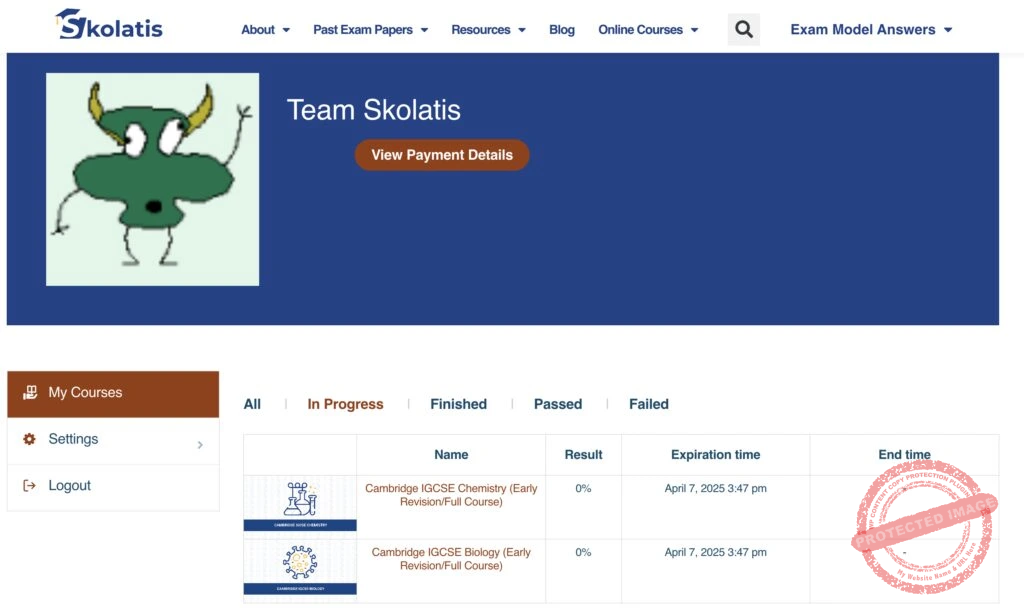
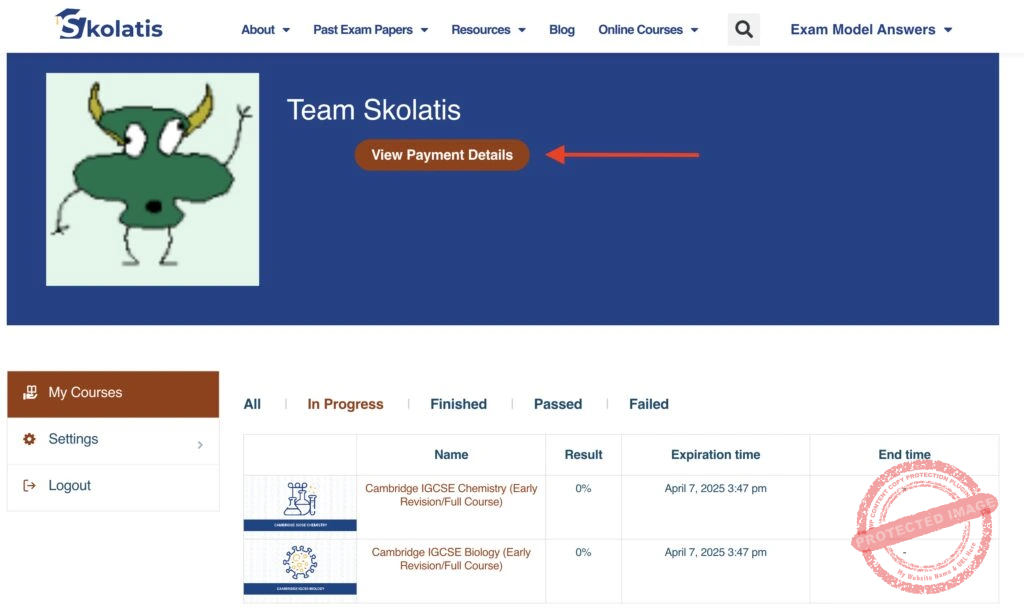
Click the View Payment Details button.
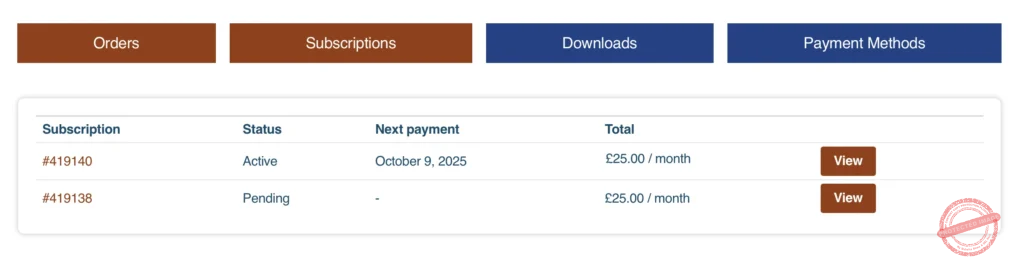
Go to the Subscriptions tab and view the subscription you want to manage.
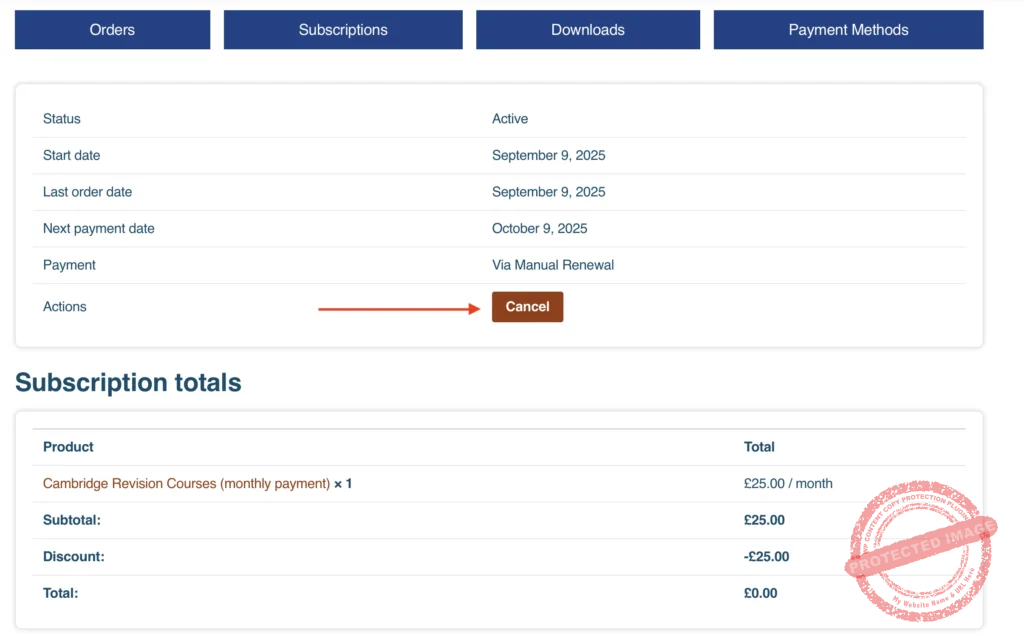
Click the Cancel button.
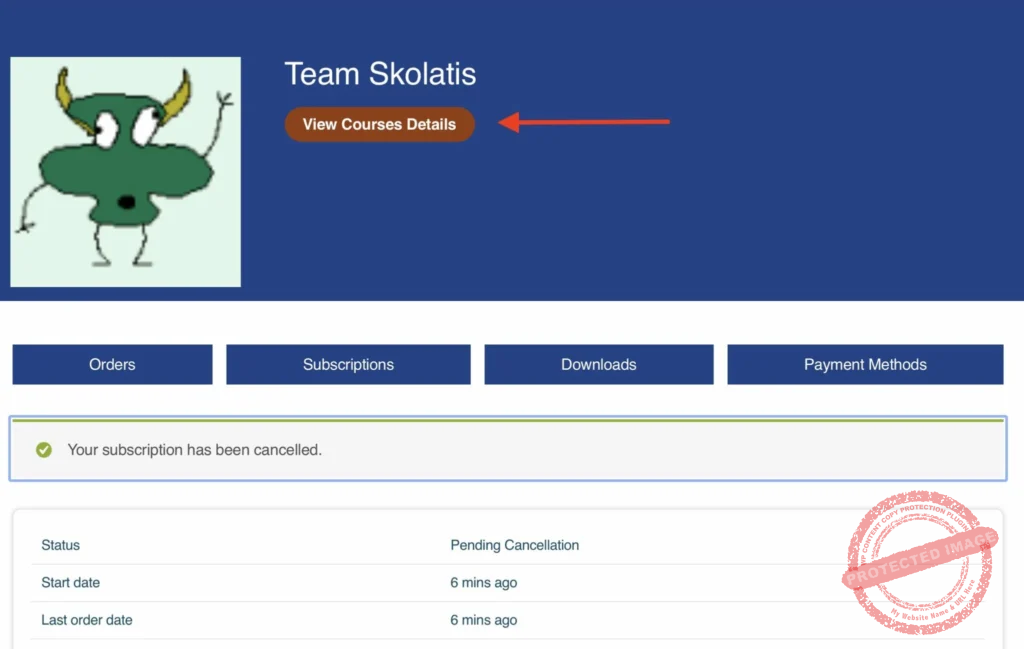
Click the View Courses Details button to go back to your courses.
*Important notes:
You can still access the cancelled courses until the next charge date.
If you need further assistance, please feel free to write to us. Thank you.